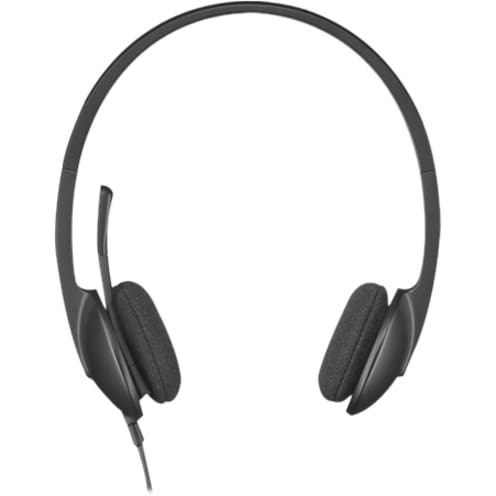
H340 USB HEADSET - BLACK.
H340 USB HEADSET - BLACK.
Product Overview
Logitech H340 Wired Over-the-head Stereo Headset - Black - Binaural - Semi-open - 20 Hz to 20 kHz - 180 cm Cable - Noise Cancelling Microphone - USB
A lightweight, plug-and-play USB headset that delivers crystal-clear, digital audio.
Exceptional sound clarity
With crystal-clear digital sound, your internet calls, music, viral videos, and more will sound better than they ever have.
Comfortable design
Enjoy a perfect, comfortable fit-with an adjustable, lightweight design.
Features
- The H340 headset provides plenty of freedom with wired connectivity
- Sharp looking over head design will give you a comfortable fit
- Semi-open design gives you the combination and advantages of both open & closed Headset
- Features USB connector
- Boom microphone is designed in such a manner that it will never miss a word you say
- Immense yourself in quality sound with this stereo headset
- Hear low subs and soaring vocals with a frequency range of sound from 20 Hz-20 kHz
Technical Specifications
Interfaces/Ports
| Host Interface | USB |
Earpiece
| Earpiece Design | Over-the-head |
| Earpiece Type | Binaural |
Microphone
| Microphone Technology | Noise Cancelling |
| Microphone Design | Boom |
Miscellaneous
| Package Contents |
|
| Compatibility |
|
| Environmentally Friendly | Yes |
General Information
| Product Type | Headset |
| Manufacturer Part Number | 981-000477 |
| Manufacturer Website Address | http://www.logitech.com/en-au |
| Manufacturer | Logitech |
| Product Model | H340 |
| Product Name | H340 USB Headset |
| Brand Name | Logitech |
Physical Characteristics
| Weight (Approximate) | 120 g |
| Form Factor | Semi-open |
| Height | 18.5 cm |
| Width | 20 cm |
| Depth | 6.5 cm |
Technical Information
| Cable Length | 180 cm |
| Sound Mode | Stereo |
| Connectivity Technology | Wired |
| Features | Adjustable Headband |
| Minimum Frequency Response | 20 Hz |
| Maximum Frequency Response | 20 kHz |
| Noise Canceling | No |
Price Trend
Current Price
AUD 63.59
Need Technical Support?
Get expert advice from our technical team for installation and configuration help.
Contact Support