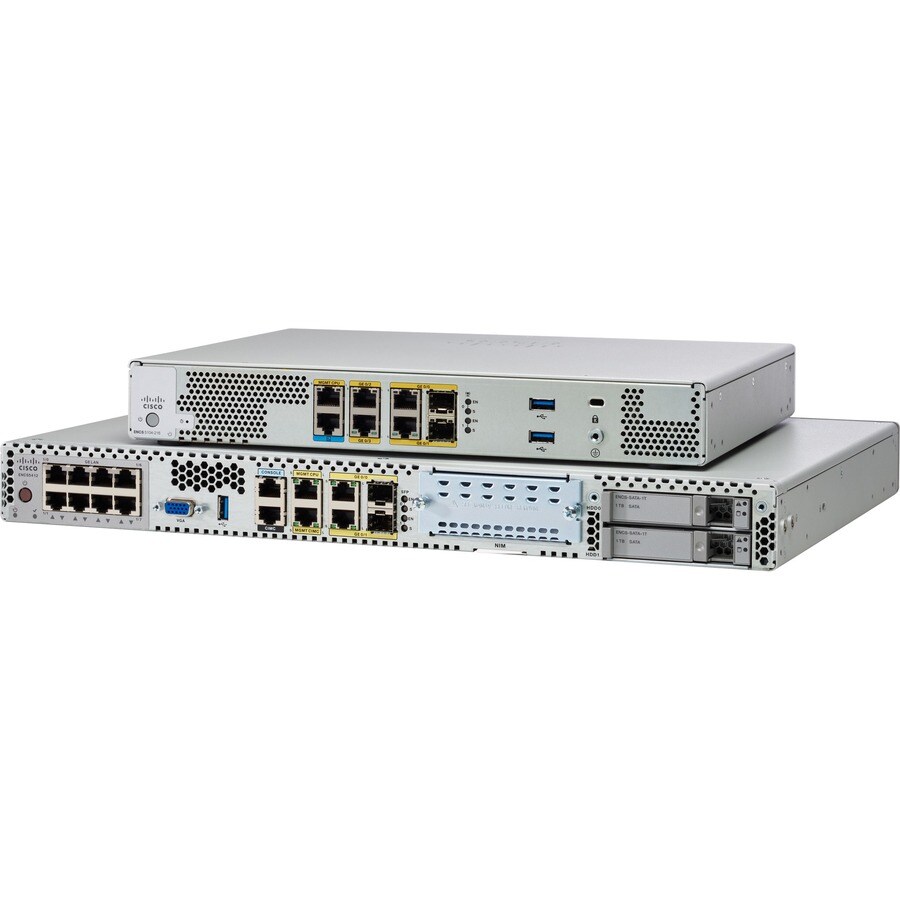
CISCO ENCS 5408 (8-CORE INTEL 16G DRAM)
CISCO ENCS 5408 (8-CORE INTEL 16G DRAM)
Product Overview
PYP:CISCO ENCS 5408 (8-CORE INTEL 16G DRAM)
The Cisco® 5000 Enterprise Network Compute System is a compute appliance family designed for a virtualized, Software-Defined Branch (SD-Branch) network architecture. The system offers service flexibility, performance, and lower total cost of ownership for the next-generation branch office.
Product overview
The Cisco 5000 Enterprise Network Compute System (ENCS) is a line of compute appliances designed for the Cisco SD-Branch and Enterprise Network Functions Virtualization (ENFV) solution. It delivers a new standard of software-defined flexibility and performance, and offers a low Total Cost of Ownership (TCO). The 5000 ENCS is a hybrid platform that combines the best attributes of a traditional router and a traditional server and offers the same functionality with a smaller infrastructure footprint. Offered with the Cisco Integrated Services Virtual Router (ISRv) and NFV Infrastructure Software (NFVIS) as the hosting layer, the platform offers a complete solution for a simplified deployment. It also accelerates some functions in hardware such as inter-VM traffic flows, IP Security (IPsec) crypto, and RAID for storage. Built-in lights-out management is also supported with Cisco Integrated Management Controller on certain models.
Technical Specifications
| Power Source | AC |
| Product Type | Enterprise Network Compute System |
| Manufacturer Part Number | ENCS5408/K9 |
| Manufacturer Website Address | http://www.cisco.com/c/en_au |
| Manufacturer | Cisco Systems, Inc |
| Product Model | 5408 |
| Product Name | 5000 Enterprise Network Compute System |
| Product Series | 5000 |
| Brand Name | Cisco |
| Application/Usage | Router |
| Network Security | |
| Network Optimization | |
| Server |
| Weight (Approximate) | 5.90 kg |
| Height | 4.4 cm |
| Width | 43.8 cm |
| Depth | 33.8 cm |
Price Trend
Need Technical Support?
Get expert advice from our technical team for installation and configuration help.
Contact Support