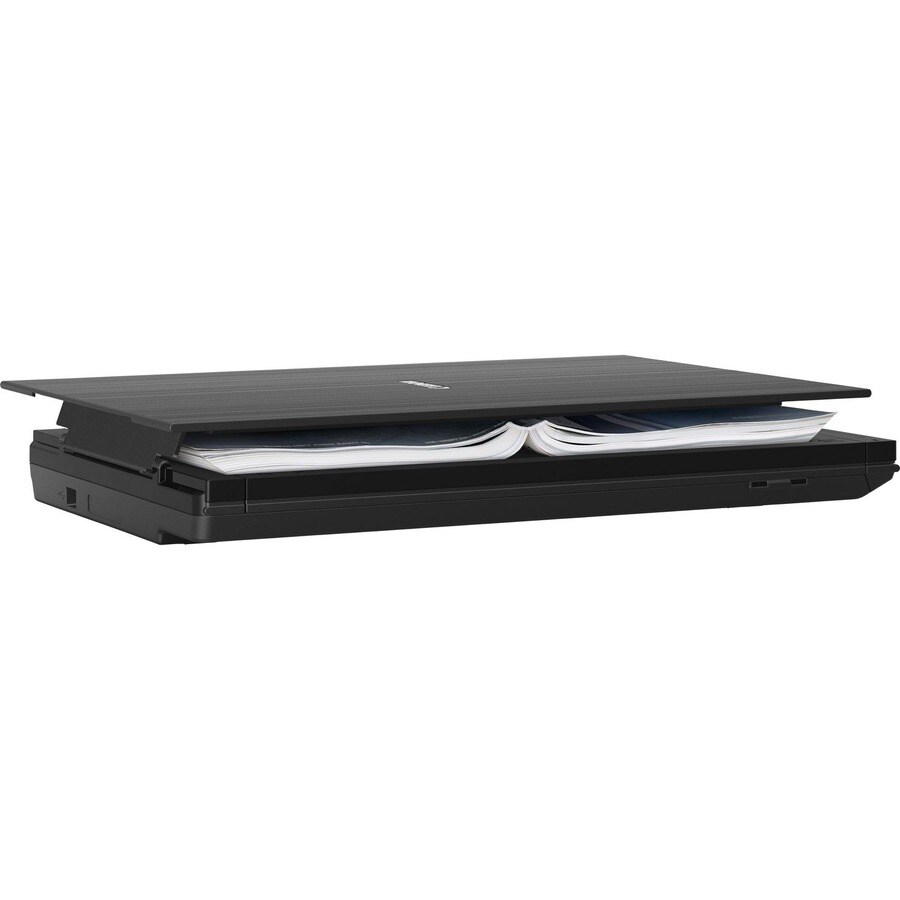
LIDE400 CIS SCANNER.
LIDE400 CIS SCANNER.
Product Overview
Canon CanoScan LiDE400 Flatbed Scanner - 4800 dpi Optical - 48-bit Color - 16-bit Grayscale - 8 ppm (Color) - USB
Superior scanner with exceptional speed, quality and style
Impressively fast and sharp
Efficiently create high-resolution 4800 x 4800 dpi scans of your photos or documents in just 8 seconds, courtesy of Canon's LiDE technology.
Space-saving design
Easy and instant
Work fast with EZ buttons that allow you to instantly Auto Scan, copy, email, and produce PDFs, plus a fifth EZ button to complete multi-page PDFs.
Smart connectivity
Scan confidently through a convenient USB Type-C connection. Simply plug into a PC or laptop and scan in seconds, without relying on a power outlet.
- 48-bit of colour depth helps scan images with a wide colour range
- Enables to quick scanning of documents exhibiting different sizes to cater individual needs, this flatbed scanner is amazing
- The colour scanner enables scanning the document or photo in its original colour
Technical Specifications
Interfaces/Ports
| USB | Yes |
Miscellaneous
| Energy Star | Yes |
Software
| Operating System Supported | Mac OS |
| Windows | |
| Linux |
General Information
| Product Type | Flatbed Scanner |
| Manufacturer Part Number | LIDE400 |
| Manufacturer Website Address | http://www.canon.com.au |
| Packaged Quantity | 1 Each |
| Manufacturer | Canon, Inc |
| Product Model | LiDE400 |
| Product Name | CanoScan LiDE400 Sophisticated and Stylish High-Speed Scanner |
| Product Line | CanoScan |
| Brand Name | Canon |
Physical Characteristics
| Weight (Approximate) | 1.63 kg |
| Height | 195.6 mm |
| Width | 368.3 mm |
| Depth | 9.9 mm |
Technical Information
| Media Size | Custom Size - 216 mm x 297 mm |
| A4 - 210 mm x 297 mm | |
| Scanning Modes | Simplex |
| Color Depth | 48-bit |
| Media Type | Photo |
| Letter | |
| Grayscale Depth | 16-bit |
| Maximum Color Scan Speed (ppm) | 8 |
| Duplex Scanning | No |
| Optical Resolution (dpi) | 4800 |
Price Trend
Current Price
AUD 153.64
Need Technical Support?
Get expert advice from our technical team for installation and configuration help.
Contact Support