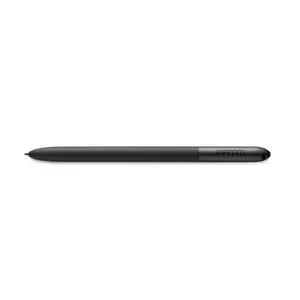
STU-540 COLOUR LCD SIGNATURE TABLET
STU-540 COLOUR LCD SIGNATURE TABLET
Product Overview
Wacom STU-540 Signature Pad - Wired - 5" LCD - USB
The STU-540 signature pad is Wacom's most advanced and robust premium electronic signature device. It is ideal for high-traffic environments where in-person handwritten electronic signatures are required to confirm transactions, such as at bank teller desks, hotel check-ins, shop purchases or clinic registrations. The 5-inch high resolution colour LCD screen with hardened glass provides an attractive point of sale signing area with a paper-like feel and superb durability. When not in signature mode, it can also be used for displaying advertising, promotions or branding.
Key Features and Benefits
- Secure Transactions - Transaction security with state-of-the-art TLS encryption
- Native Support - Native Support for Citrix v7.6.3 and newer in standard USB mode
- Virtual-ready - Virtual COM Port (VCP) mode for Citrix v6.5 and other virtualised desktop environments
- Software - This Signature Pad requires additional software to operate. Sign pro PDF for Windows is a simple and secure eSignature application, which allows you to sign your PDF documents electronically and share it securely, while eliminating the process of printing, signing and scanning the document. To see how it works, you can watch the video Quick Start Guide here (Enterprise versions of sign pro PDF software, API and SDK's are also available).
Technical Specifications
| Screen Size | 5" |
| Product Type | Graphics Tablet |
| Manufacturer Part Number | STU-540 |
| Manufacturer | Wacom |
| Product Model | STU-540 |
| Brand Name | Wacom |
| Product Condition | New |
| Pressure Levels | 1024 |
| Connectivity Technology | Cable |
| Height | 10 mm |
| Width | 163 mm |
| Depth | 157 mm |
| Product Color | Black |
Price Trend
Need Technical Support?
Get expert advice from our technical team for installation and configuration help.
Contact Support