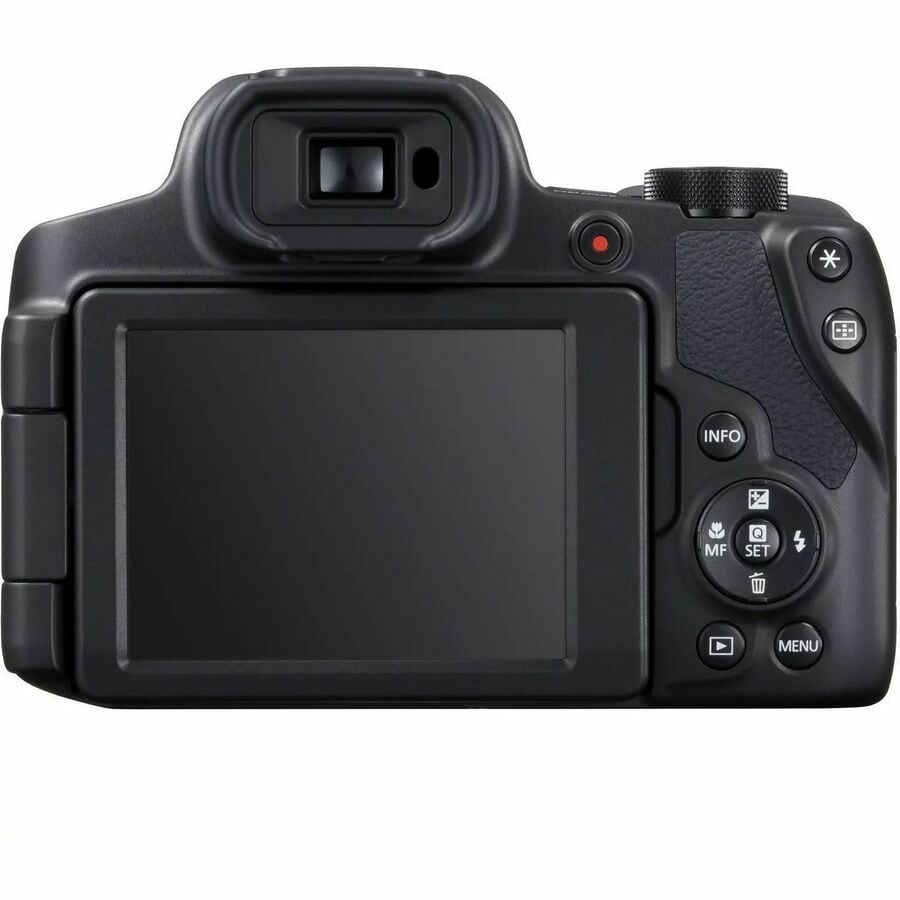
SX70HS DIGITAL CAMERA
SX70HS DIGITAL CAMERA
Product Overview
Canon PowerShot SX70HS 20.3 Megapixel Compact Camera - Black - 1/2.3" CMOS Sensor - LCD - Electronic Viewfinder - 4x Digital Zoom - 5184 x 3888 Image - 3840 x 2160 Video - 4K Recording - HD Movie Mode - Wireless LAN - GPS
Capture special moments in stunning style with the PowerShot SX70 HS, the top of Canons bridge range, with DSLR looks and latest tech.Premium, 65x zoom all-in-one camera combining DSLR looks and style with versatile, enhanced cutting-edge features.- Shoot like a professional and tag your photo with the location data with built-in GPS
- Envision the fun of having the capacity to shoot spectacular HD video that you can later share with your friends and family
- Built-in Wi-Fi enables the seamless transfer of captured images and videos between devices
- With 20.3 Megapixel resolution, get impressive and sharp image quality and capture the moments that truly matter most
Technical Specifications
Image
| Maximum Image Resolution | 5184 x 3888 |
Lens
| Digital Zoom | 4x |
Miscellaneous
| Features | Time Lapse Function |
Viewfinder
| Viewfinder Type | Electronic |
Network & Communication
| Wireless LAN | Yes |
| GPS | Yes |
Display & Graphics
| Display Screen Type | LCD |
| Image Sensor Type | CMOS |
| Effective Camera Resolution | 20.3 Megapixel |
General Information
| Product Type | Compact Camera |
| Manufacturer Part Number | SX70HS |
| Manufacturer Website Address | http://www.canon.com.au |
| Manufacturer | Canon, Inc |
| Product Model | SX70HS |
| Product Name | SX70HS Digital Camera 65X Optical Zoom |
| Product Line | PowerShot |
| Brand Name | Canon |
Memory
| Memory Card Supported | SDHC |
| SD | |
| SDXC |
Video
| Recording Formats | 4K |
| Maximum Video Resolution | 3840 x 2160 |
| Maximum Frame Rate | 10 fps |
| HD Movie Mode | Yes |
Physical Characteristics
| Weight (Approximate) | 610 g |
| Height | 90.9 mm |
| Width | 127.1 mm |
| Depth | 116.6 mm |
| Product Color | Black |
Price Trend
Current Price
AUD 862.73
Need Technical Support?
Get expert advice from our technical team for installation and configuration help.
Contact Support